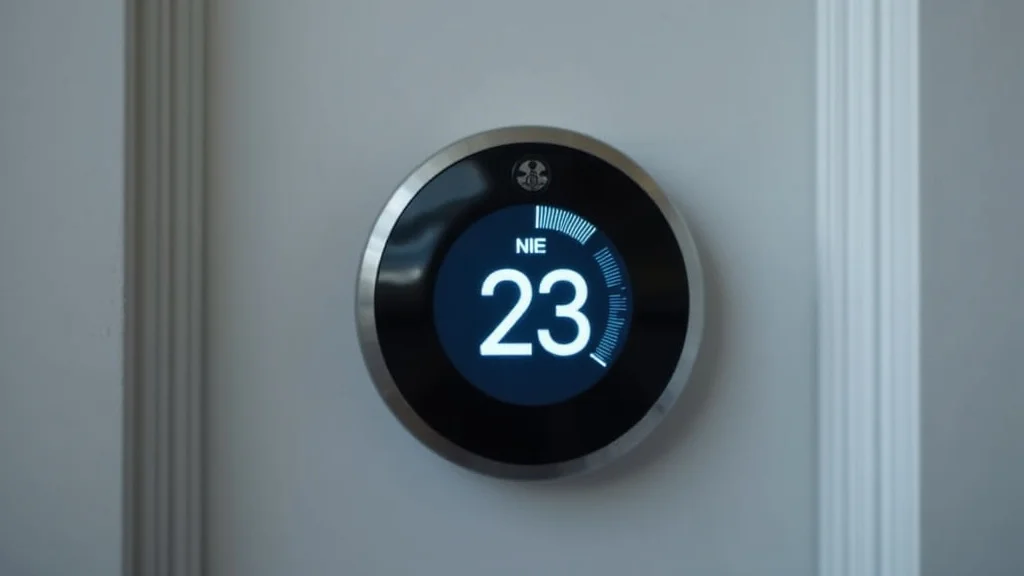
Picture this: You wake up on a chilly morning, groggy and fumbling for the thermostat. You squint at the tiny screen, trying to figure out what those cryptic symbols mean. Is the heating icon on? Is it set to the right temperature? Many of us take our home heating systems for granted until something goes wrong. This blog post aims to demystify everything related to the heating icon and your home’s climate control, offering a clear guide to help you manage your home’s comfort and energy efficiency. You’ll gain a solid grasp of how thermostats function, how to interpret their displays, and learn tips for optimal usage. This will help you to use your thermostat properly and save money on your energy bills.
Key Takeaways
- Learn the fundamental components and functionality of a digital thermostat.
- Understand the different types of heating icon displays and their meanings.
- Gain insight into how to troubleshoot common thermostat issues.
- Discover strategies for maximizing energy efficiency with your thermostat.
- Explore the various features and settings available on modern thermostats.
- Find ways to improve your home’s comfort while saving money on energy costs.
Understanding Your Digital Thermostat
Your digital thermostat is a vital control center for your home’s climate. It acts as the brain for your heating, ventilation, and air conditioning (HVAC) system, regulating the temperature to match your desired settings. Modern thermostats use electronic sensors to gauge the temperature and send signals to your furnace or air conditioner to turn on or off. This allows for precise temperature regulation and can contribute to energy savings. The heating icon is central to this process.
Most thermostats have a digital display that shows the current temperature and the set temperature. They often feature buttons or a touchscreen to adjust the settings. The display will also typically show the current operating mode—heat, cool, auto, or off—and, most importantly, the heating icon or a similar visual indicator to show when the heating system is actively working. Thermostats can be powered by batteries or wired directly into your home’s electrical system, offering different levels of convenience and functionality.
The Main Components
A digital thermostat’s design is fairly simple, comprised of key parts that work together to maintain your home’s temperature. The temperature sensor is critical, constantly monitoring the surrounding air temperature and sending this data to the thermostat’s internal processor. The processor compares this real-time temperature reading with the temperature you have set. If there is a difference, the processor sends a signal to your heating or cooling system to turn on or off. The digital display is the window through which you see the current temperature, the set temperature, and the operating mode. Lastly, the user interface – typically buttons or a touchscreen – lets you change the temperature settings.
- Temperature Sensor: This is the heart of the thermostat, constantly monitoring the room’s temperature. It feeds the information to the internal processor, which is used to decide when to activate your heating or cooling system.
- Processor: This component is the brains of the operation. It receives the temperature reading from the sensor, compares it to your set temperature, and sends signals to your HVAC system.
- Digital Display: The display is where you view the current temperature, the set temperature, the operating mode, and, of course, the heating icon that indicates when the system is actively heating.
- User Interface: This is how you interact with the thermostat. It typically consists of buttons or a touchscreen that you use to set the temperature and change the operating mode.
The Functions of a Thermostat
Thermostats do a lot more than just turn your furnace on and off. Their main goal is to maintain a consistent and comfortable temperature. For example, modern thermostats often include features like programmable schedules, which allow you to set different temperatures for different times of the day, helping to reduce energy usage when you are not home. Some high-tech models also connect to the internet, letting you monitor and control your system remotely. This smart feature helps with temperature control, energy efficiency, and overall home comfort. It’s all about making your life easier and your home more efficient.
- Temperature Control: The primary function is to maintain a consistent and comfortable temperature within your home.
- Energy Efficiency: Programmable thermostats allow you to create schedules to reduce energy consumption, especially when you are away from home.
- System Monitoring: Many thermostats can alert you to potential issues with your HVAC system.
- Remote Access: Smart thermostats offer the ability to control your heating and cooling from anywhere with an internet connection.
Deciphering the Heating Icon
The heating icon itself can appear in various forms. It’s often a symbol representing a flame, a sun, or a radiating wave pattern. When the heating icon is displayed, it signals that your heating system is actively engaged in warming your home. The icon’s behavior, such as whether it’s steady or flashing, provides further insight into the system’s operation. When the heating icon flashes, it could mean the system is preheating, is experiencing a delay, or is indicating a problem, which may need your attention.
Understanding the variations of the heating icon will help you troubleshoot any issues that arise. Familiarize yourself with the display of your specific thermostat model to ensure you’re interpreting the information correctly. If you’re unsure about any aspect, you can consult your thermostat’s user manual, which often contains detailed explanations of the display symbols.
Types of Icons
Different heating icon types help you quickly understand what your thermostat is doing. The visual representation of the icon can vary based on the manufacturer, but the fundamental meanings remain the same. The design might be a flame, a rising sun, or lines radiating outward, and the important thing is how the icon behaves. This includes if it is constantly lit, flashing, or disappearing, to give you a sense of your heating system’s current status and any potential concerns.
- Steady Icon: A steady, solid icon usually indicates that the heating system is actively working. The furnace is running, and the thermostat is trying to achieve the set temperature.
- Flashing Icon: A flashing icon can mean various things. It might suggest the system is preheating, experiencing a short delay, or signaling a fault. If it is flashing, it is wise to check your manual or look into the system.
- No Icon: When the heating icon is not visible, the heating system is not actively heating. The set temperature has been reached, the system is in cool mode, or the system is completely turned off.
- Icon Shape and Style: The specific design of the icon (flame, sun, etc.) may vary, but the main function remains the same. Familiarize yourself with your thermostat’s manual for specific details.
Troubleshooting Display Problems
Sometimes, the heating icon might not work as expected. Before calling for professional help, there are some simple steps you can take. First, make sure your thermostat is set to “Heat.” Next, check the batteries if it’s battery-operated, and replace them if necessary. Verify that the breaker to your furnace hasn’t tripped. If none of these solutions work, there could be a more complex problem, and consulting a professional HVAC technician is the best choice.
- Check the Mode Setting: Ensure the thermostat is in “Heat” mode.
- Battery Check: If your thermostat uses batteries, replace them, especially if the display is dim or blank.
- Breaker Check: Confirm the circuit breaker to your furnace hasn’t tripped.
- Review the Manual: Consult your thermostat’s manual for specific troubleshooting tips.
- Seek Professional Help: If all else fails, reach out to an HVAC specialist.
Maximizing Efficiency and Savings
Your thermostat can be a powerful tool to control energy usage and reduce your energy bills. Using a programmable thermostat is one of the easiest ways to achieve this. You can program it to lower the temperature when you are away or asleep, which can result in significant energy savings. Regular maintenance of your HVAC system, such as changing filters regularly and scheduling annual inspections, ensures efficient operation and extends the life of your equipment. Being conscious of your thermostat settings and taking proper care of your system will help you stay comfortable while keeping energy costs down.
Beyond programmable features, consider how you use your thermostat daily. Avoiding extreme temperature settings and making minor adjustments can have a big impact. Even lowering your thermostat by a few degrees in winter or raising it in summer can help you save on energy. Pairing these behaviors with regular HVAC system upkeep ensures your system is working at its peak efficiency.
Programming Tips
Programmable thermostats give you the ability to set different temperatures for various times of the day and days of the week. This is an efficient way to save energy because it ensures you are not heating or cooling an empty house. For example, you could set the thermostat to lower the temperature while you are at work and raise it shortly before you arrive home. Over time, these small adjustments can lead to significant savings. Many modern thermostats are smart and can be operated from your phone, letting you change settings from anywhere.
- Set Back Temperatures: During periods when you’re away or asleep, lower your heating set points to reduce energy usage.
- Use Pre-Heating: Schedule pre-heating times to ensure comfort upon your return home.
- Adjust for Weekends: Tailor the program to your weekend schedule for efficient operation.
- Monitor and Adjust: Regularly review your programmed settings and make adjustments as needed.
Maintenance Practices
Keeping your HVAC system in good working order is essential for its efficiency. Start by changing your air filters regularly, typically every month or two, which can improve airflow and reduce strain on the system. Schedule annual check-ups with a professional HVAC technician. These check-ups will include inspecting and cleaning components, checking for leaks, and ensuring the system is running efficiently. Proper maintenance not only saves on energy costs but also extends the life of your equipment and protects against major breakdowns.
- Filter Replacement: Change your air filters every one to three months.
- Professional Check-Ups: Schedule yearly maintenance by a qualified HVAC technician.
- Duct Cleaning: Consider having your ducts cleaned periodically to ensure optimal airflow.
- Insulation: Ensure your home is properly insulated to prevent heat loss in the winter and heat gain in the summer.
Advanced Thermostat Features
Modern thermostats are loaded with smart features designed to enhance your comfort and convenience. Smart thermostats can be linked to your Wi-Fi, which enables remote control via a smartphone app. You can adjust your home’s temperature from anywhere, giving you greater control over your energy usage. Some smart models even learn your habits, automatically adjusting temperatures based on your preferences. They can also monitor and report energy usage, offering insights into how you can further improve your energy efficiency.
These features, along with smart sensors, can even detect the presence of people in the room and adjust the temperature accordingly. This adaptability delivers customized comfort and efficient energy use. These smart features make thermostats much more than simple temperature controllers, integrating them seamlessly into smart homes for maximum comfort and savings.
Smart Features Breakdown
Modern thermostats offer a host of features designed for convenience, energy savings, and optimal performance. Smart technology has transformed these devices, giving you more control and visibility into your home’s climate. From app-based control to energy monitoring, these features are transforming how we manage our home’s temperature, resulting in more energy-efficient and connected homes.
- Wi-Fi Connectivity: Enables remote access via a smartphone app.
- Geofencing: Automatically adjusts the temperature based on your location.
- Energy Monitoring: Tracks your energy usage and provides insights for optimizing savings.
- Learning Algorithms: Learns your habits and adjusts settings automatically.
Additional Settings
Beyond the core functions, advanced thermostats include numerous settings that increase their versatility. For example, some devices have a “hold” function, which lets you override your programmed schedule and keep the temperature at a specific level. You may also find options for setting minimum and maximum temperature limits, which is helpful if you have children or want to prevent accidental setting changes. Many models also have vacation modes, allowing you to set a specific energy-saving temperature while you are away. Exploring these features ensures you get the most from your thermostat and customize it to your particular needs.
- Hold Function: Overrides scheduled programs for a set period.
- Temperature Limits: Sets the minimum and maximum temperature settings.
- Vacation Mode: Allows you to maintain energy-saving settings while away from home.
- Fan Control: Offers options for controlling the fan speed and operating mode (auto, on, circulate).
Common Myths Debunked
Myth 1: Leaving the Thermostat at a Constant Temperature Saves Money
Many believe keeping the thermostat at one temperature all the time is efficient. The reality is that lowering the temperature when you are away or asleep can result in significant energy savings. Heating your home constantly, even when not needed, wastes energy. Smart thermostat programming or manual adjustments allow for efficient use of energy, leading to lower energy bills.
Myth 2: Higher Thermostat Settings Warm Up a Room Faster
It’s a common misconception that turning up the thermostat will heat a room quicker. The HVAC system works at a fixed rate, regardless of the set temperature. Setting the thermostat higher than your actual desired temperature does not make the room heat up faster; it only results in overheating and wasted energy. Setting the temperature to your desired level is the most efficient method.
Myth 3: Closing Vents in Unused Rooms Saves Energy
While it might seem logical, closing vents can disrupt the balance of your HVAC system. This can lead to increased pressure in the ducts, reducing efficiency and potentially causing damage. Instead of closing vents, it is more efficient to maintain a consistent temperature throughout the house. Consider zone heating, where you control the temperature in separate zones, to manage comfort and energy use. A well-balanced system, with proper insulation and airflow, is key to energy efficiency.
Myth 4: Thermostat Accuracy Isn’t Important
Some people believe thermostat accuracy does not significantly affect comfort or energy usage. However, the accuracy of your thermostat is essential for efficient heating and precise temperature control. A poorly calibrated thermostat might lead to fluctuations in temperature, making your home uncomfortable and making your system work harder than necessary. Regular calibration and routine maintenance of your thermostat will ensure it delivers accurate temperature readings, leading to enhanced comfort and potential energy savings.
Myth 5: It’s Okay to Ignore Thermostat Maintenance
Many homeowners believe that thermostats are maintenance-free devices. The reality is that regular check-ups and upkeep are crucial for the efficient and effective functioning of the system. Like other home appliances, a thermostat benefits from occasional care. Things such as dusting, battery replacement, and checking for wear and tear can increase its lifespan. Routine maintenance ensures that the thermostat continues to operate accurately and reliably. This also prevents potential energy waste and helps maintain comfort.
Frequently Asked Questions
Question: My heating icon is flashing. What does this mean?
Answer: A flashing heating icon often means the system is preheating, experiencing a short delay, or signaling a fault. Check your thermostat’s manual to understand what the flashing pattern means specifically for your model and consult a technician if necessary.
Question: How often should I replace the batteries in my thermostat?
Answer: Replace the batteries in your thermostat once a year or when the display becomes dim or blank. It is best to do this before the heating season begins.
Question: Can I adjust my thermostat from my smartphone?
Answer: Yes, if you have a smart thermostat with Wi-Fi connectivity. Download the corresponding app for your thermostat model on your smartphone to control it remotely.
Question: What is the best temperature to set my thermostat in the winter?
Answer: The ideal temperature for winter is usually around 68°F (20°C) when you are home. You can lower the temperature by a few degrees when you are away or asleep to save energy.
Question: How can I tell if my thermostat is accurate?
Answer: You can use a separate, reliable thermometer to verify your thermostat’s accuracy. Place the thermometer near your thermostat and compare the readings. If there is a significant difference, you might need to recalibrate or replace your thermostat.
Final Thoughts
Understanding the heating icon and your digital thermostat is key to creating a comfortable and efficient home environment. You’ve learned about its components, how it operates, and how to interpret the various symbols and displays. You’ve also explored tips for using programmable features and maintaining your system for optimal performance. By implementing these strategies, you can improve your home’s comfort, save on energy costs, and potentially extend the lifespan of your HVAC system. Stay aware of your settings, program effectively, and perform routine maintenance to maximize efficiency. Embrace these practices, and you’ll find yourself enjoying a cozy, well-managed home climate, season after season.


